
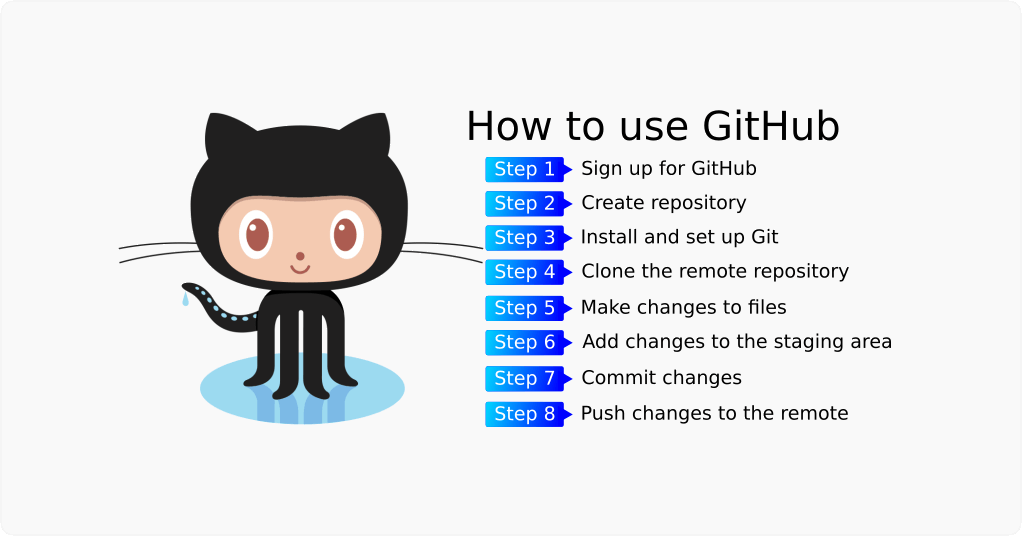
GitHub is a popular platform for developers to collaborate on projects, track changes, and work on code together. Whether you are new to programming or looking to expand your skills, learning how to use GitHub can greatly benefit your development workflow.
Setting Up Your GitHub Account
Before you can start using GitHub, you’ll need to create an account. Simply visit the GitHub website and sign up with your email address. Once your account is created, you can customize your profile and add a profile picture.
Creating a Repository
A repository, or repo, is where you store your project files on GitHub. To create a new repository, click on the “New” button on the GitHub homepage. Give your repository a name, description, and choose whether it will be public or private. Click “Create repository” to finish creating your repository.
Cloning a Repository
To work on an existing project from GitHub on your local machine, you will need to clone the repository. Navigate to the repository on GitHub and click on the “Code” button. Copy the URL provided. In your terminal, use the command git clone [repository URL] to clone the repository to your local machine.
Creating Branches
Branches allow you to work on different features or versions of your project without affecting the main codebase. To create a new branch, use the command git checkout -b [branch name]. Make your changes on the new branch and when you are ready to merge them back into the main branch, create a pull request on GitHub.
Collaborating with Others
GitHub is a powerful tool for collaboration. You can invite others to contribute to your project by adding them as collaborators. They can make changes, submit pull requests, and review code changes. Communication is key when collaborating, so make sure to use the issue tracker and comment on pull requests.
Version Control
One of the key features of GitHub is its version control system. You can track changes to your code, revert to previous versions, and see who made specific changes. This is invaluable when working on projects with multiple collaborators or when trying to troubleshoot bugs.
Conclusion
GitHub is a versatile tool that can greatly enhance your development workflow. By following this beginner’s tutorial, you should now have a good understanding of how to create repositories, clone projects, work with branches, collaborate with others, and take advantage of version control. Keep practicing and exploring GitHub to unlock even more features and capabilities.
© 2021 Your Name. All rights reserved.