
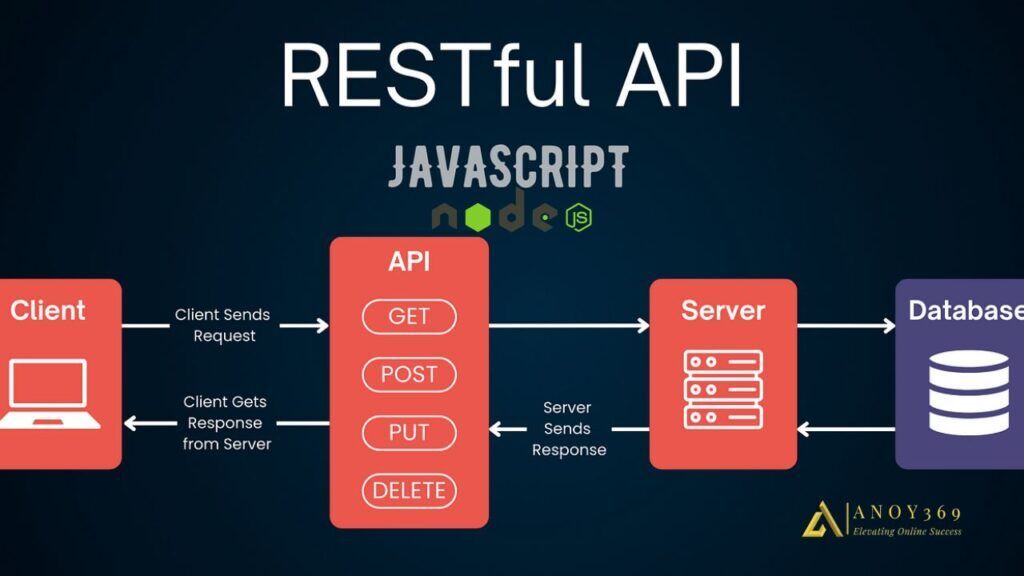
Node.js has become one of the most popular choices for building APIs due to its speed, scalability, and flexibility. In this quick guide, we will walk you through the steps of building an API with Node.js.
Setting Up Your Environment
Before you start building your API, make sure you have Node.js and npm (Node Package Manager) installed on your machine. You can download Node.js from the official website and npm will be installed automatically with Node.js.
Creating a New Node.js Project
To create a new Node.js project, open your terminal and run the following command:
“`bash
mkdir my-api
cd my-api
npm init -y
“`
This will create a new directory for your API and initialize a new Node.js project with a package.json file.
Installing Required Packages
Next, you will need to install the necessary packages for building your API. The most common package for building APIs with Node.js is Express, a fast and minimalist web framework for Node.js.
“`bash
npm install express
“`
You can also install other packages like body-parser for parsing incoming request bodies and mongoose for interacting with MongoDB.
Creating Your API Endpoints
Now it’s time to define your API endpoints. You can create a new file called app.js and start building your API endpoints using Express.
“`javascript
const express = require(‘express’);
const app = express();
app.get(‘/api/users’, (req, res) => {
res.json({ message: ‘List of users’ });
});
app.post(‘/api/users’, (req, res) => {
res.json({ message: ‘User created’ });
});
// Add more API endpoints here
app.listen(3000, () => {
console.log(‘Server is running on port 3000’);
});
“`
In this example, we have created two API endpoints: a GET endpoint for retrieving a list of users and a POST endpoint for creating a new user. You can add more endpoints as needed for your API.
Testing Your API
Once you have defined your API endpoints, you can test your API using tools like Postman or curl. Send requests to your API endpoints and make sure you are getting the expected responses.
Deploying Your API
Once you are satisfied with your API, you can deploy it to a production server. There are many hosting providers that support Node.js applications, such as Heroku, AWS, and Google Cloud Platform.
Make sure to secure your API with proper authentication and authorization mechanisms before deploying it to production.
Conclusion
Building APIs with Node.js is a great way to create fast and scalable web services. By following this quick guide, you can get started with building your own APIs using Node.js and Express. Happy coding!